
- Authors
1. Why Automate Blog Translation
Running a blog in both Korean and English expands your audience. But manually translating each post means:
- 30 minutes to 1 hour of extra work per post
- Code blocks, links, and frontmatter easily break
- Translation quality is inconsistent
In this post, we share how to build a pipeline that automatically translates blog posts with a single command in Claude Code.

2. The Core Challenge: Preserving Markdown Structure
Regular translators break the structure when translating markdown files:
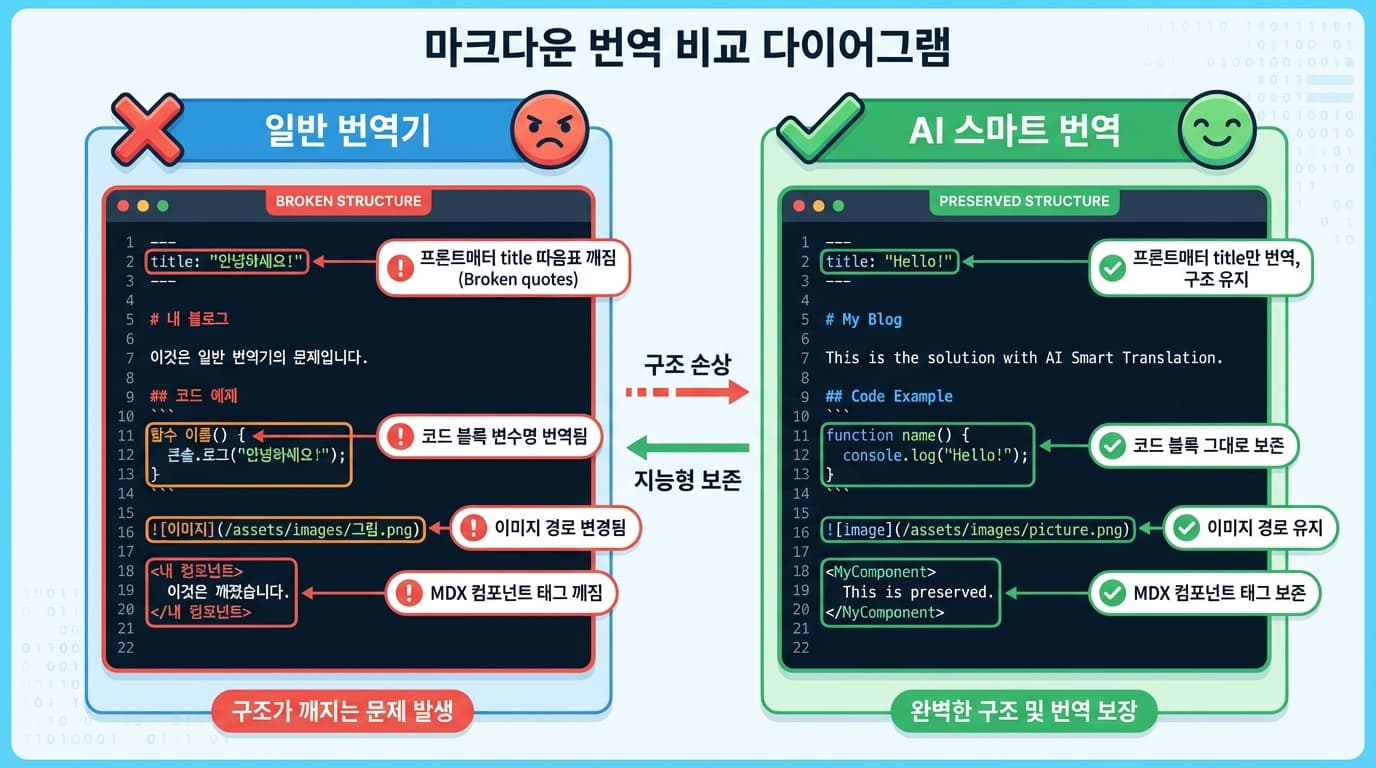
Things that must NOT be translated:
- Code blocks -- Variable names, function names must never be translated
- Image paths --
/static/images/...must stay as-is - MDX components --
<Component />tags must be preserved - Frontmatter structure -- YAML format maintained, only title/summary translated
Things that SHOULD be translated:
- Title and summary
- Body text
- Image alt text
3. Implementation
3.1 Translation Prompt
The key is giving the AI precise rules:
Translate this Korean MDX blog post to English.

RULES:
1. Translate ONLY the text content (paragraphs, headings, lists)
2. Translate frontmatter title and summary fields
3. DO NOT translate:
   - Code blocks (``` ... ```)
   - Inline code (`...`)
   - Image paths (/static/images/...)
   - MDX component tags
   - HTML comments
   - URLs
4. Keep the same markdown formatting (##, **, -, etc.)
5. Keep the same frontmatter structure (date, tags, category unchanged)
6. Maintain technical accuracy for programming terms
7. Use natural, fluent English — not literal translation
3.2 Leveraging the File Structure
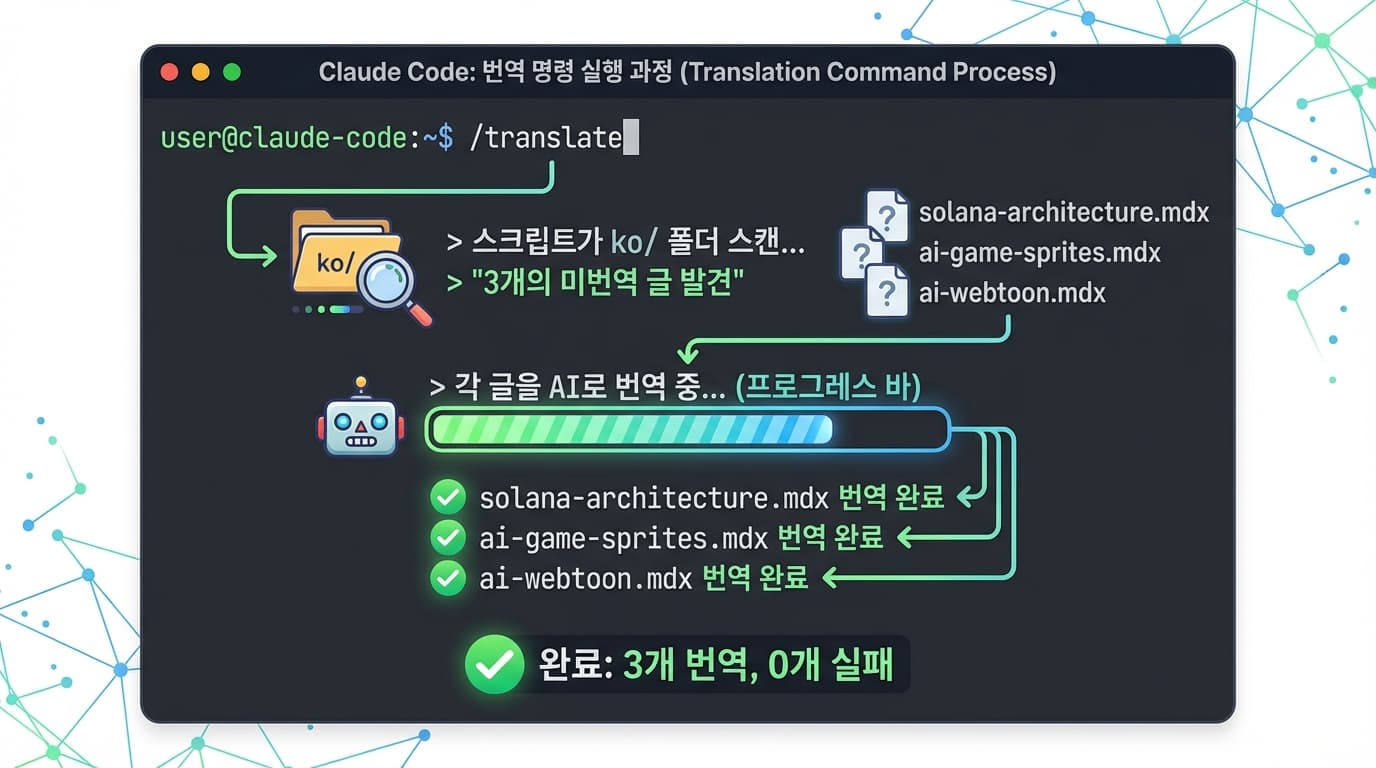
This blog automatically shows a language toggle button when files with the same filename exist in the en/ and ko/ folders:
data/blog/
├── ko/my-post.mdx   ← Korean original
└── en/my-post.mdx   ← English translation (auto-generated)
The translation script leverages this structure:
- Detect new posts in the
ko/folder - Translate with AI
- Save with the same filename in the
en/folder
3.3 Running in Claude Code
When registered as a skill in Claude Code, it runs with a single command:
# Run full translation
/translate

# Translate a specific post
/translate my-post
4. Improving Translation Quality
4.1 Technical Term Consistency
Programming terms should either be left untranslated or translated consistently:
Terms left untranslated: API, SDK, JSON, REST, GraphQL, Docker
Consistently translated: smart contract, gas fee
4.2 Matching Tone
The tone of the Korean post should be maintained in the English version. Technical blogs typically use a friendly yet professional tone.
4.3 Review Checklist
Things to check after automatic translation:
- Are code blocks intact?
- Do links work?
- Are technical terms accurate?
- Are expressions natural and contextually appropriate?
5. Summary
| Item | Details |
|---|---|
| Translation targets | Title, summary, body text |
| Preserved elements | Code blocks, image paths, components, URLs |
| How to run | /translate command in Claude Code |
| Time required | ~30 seconds per post (AI) vs 30+ minutes (manual) |
Once set up, translation is done with a single command every time you write a post. The cost of running a multilingual blog drops to nearly zero.