
- Authors
1. When There Are Too Many Files in Drive
Google Drive has hundreds of files piled up, but it is hard to find where the information you need is. With Google CLI + AI, you can search and summarize everything in Drive.
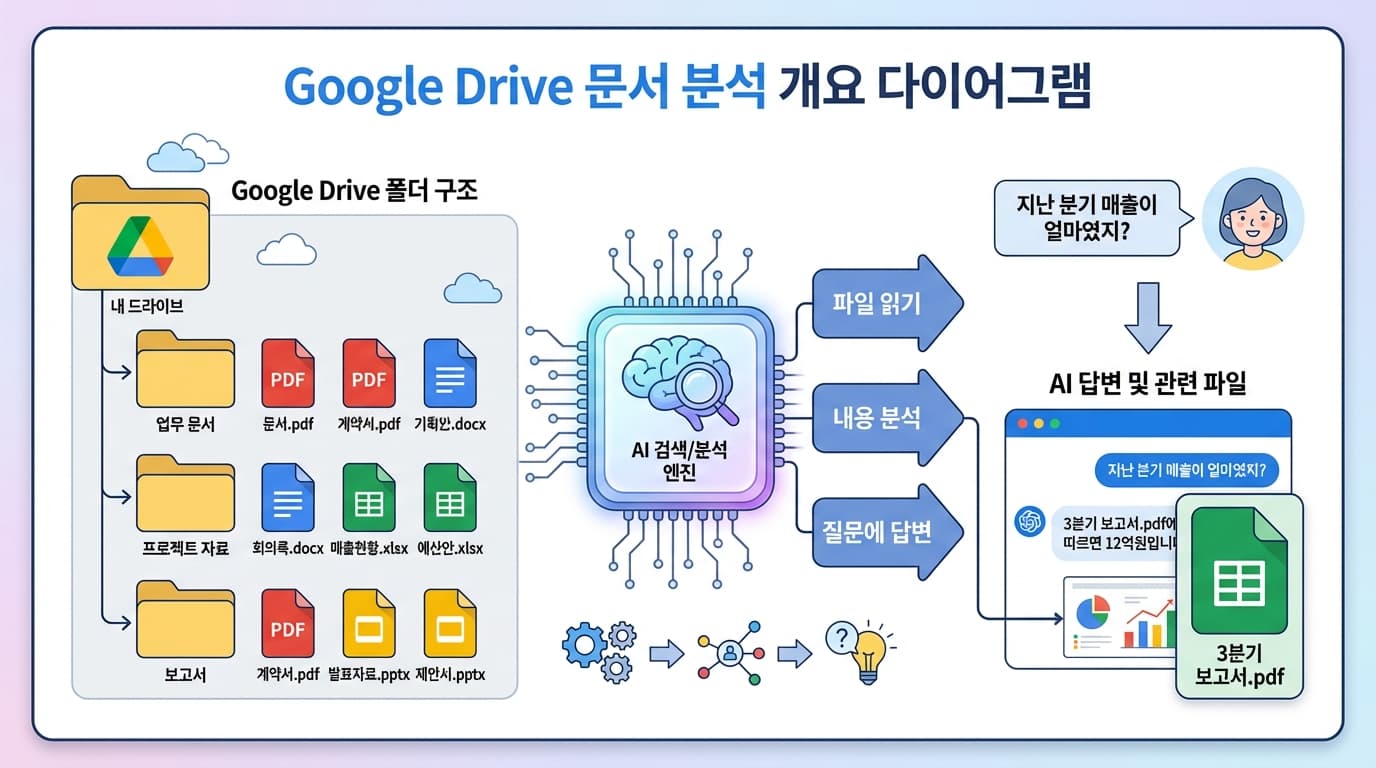
2. File Search + Summary
2.1 Getting File Lists from Drive
// List files in a specific folder
const files = await google.drive.files.list({
  q: "'FOLDER_ID' in parents",
  fields: 'files(id, name, mimeType, modifiedTime)',
});

// Only recently modified files
const recentFiles = await google.drive.files.list({
  q: "modifiedTime > '2026-03-01'",
  orderBy: 'modifiedTime desc',
});
2.2 Reading File Contents
async function readDriveFile(fileId: string, mimeType: string) {
  if (mimeType === 'application/vnd.google-apps.document') {
    // Google Docs -> export as text
    return await google.drive.files.export(fileId, 'text/plain');
  }
  if (mimeType === 'application/vnd.google-apps.spreadsheet') {
    // Google Sheets -> export as CSV
    return await google.drive.files.export(fileId, 'text/csv');
  }
  if (mimeType === 'application/pdf') {
    // PDF -> extract text (using pdf-parse)
    const buffer = await google.drive.files.download(fileId);
    return await extractPDFText(buffer);
  }
}
2.3 Asking AI Questions
const prompt = `The following are documents retrieved from Google Drive.

Question: "${userQuestion}"

Please find the answer to this question from the documents.
When answering, also mention which document the information came from.

Documents:
${documents.map(d => `[${d.name}]\n${d.content.slice(0, 5000)}`).join('\n\n---\n\n')}`;
3. Use Cases
Summarize Entire Drive
"Summarize all documents created last month"
-> AI reads all recent documents and generates a summary list
Search for Specific Information
"Find what last year's marketing budget was"
-> AI locates the answer from relevant spreadsheets/documents
Compare Documents
"Tell me the key differences between the Q1 and Q2 reports"
-> AI reads both documents and provides a comparative analysis
4. Important Considerations
- File size -- Large files should be summarized before sending to AI (token limits)
- Permissions -- Only grant necessary permissions when accessing the Drive API
- Sensitive documents -- Be careful not to send confidential documents to external AI APIs
5. Summary
| Feature | Method | Result |
|---|---|---|
| File listing | Google CLI | Search Drive files |
| Content reading | Drive API + Export | Docs/Sheets/PDF to text |
| AI analysis | Claude/Gemini API | Summarization, search, comparison |
| Q&A | RAG approach | Find answers from documents |
Find the information you need from hundreds of Drive files with a single question.