
- Authors
1. Just Say "Analyze the Sales Trend"
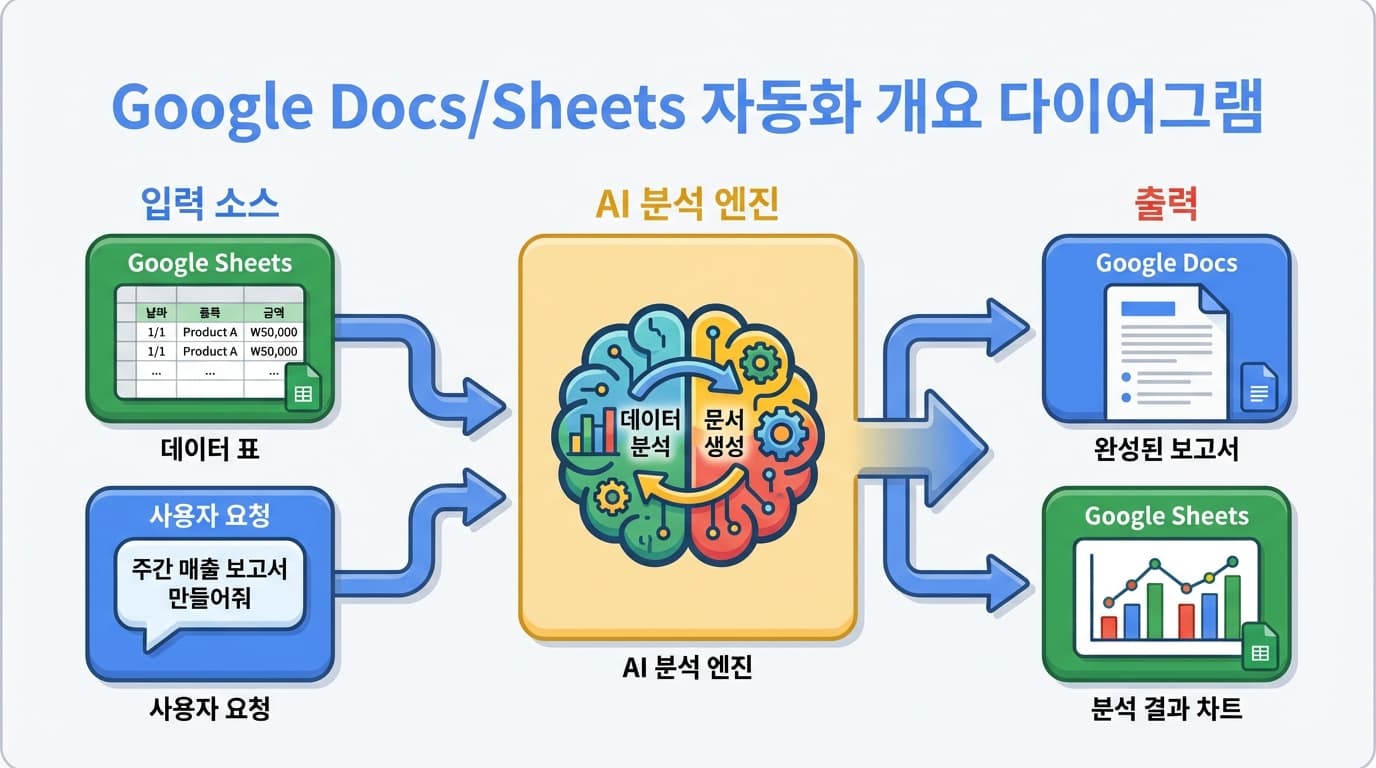
Writing reports in Google Docs and analyzing data in Sheets involves a lot of repetitive work. With Google CLI + AI, you can automate this process.
2. Google Sheets Data Analysis
2.1 Reading Data
// Read Sheets data with Google CLI
const data = await google.sheets.get({
  spreadsheetId: 'SHEET_ID',
  range: 'Sheet1!A1:F100',
});

// Request AI analysis
const prompt = `The following is sales data. Please analyze it.

Analysis items:
1. Overall sales trend (rising/falling/flat)
2. Highest/lowest sales month and likely causes
3. Year-over-year growth rate
4. Next quarter forecast
5. Things to watch out for

Data:
${JSON.stringify(data, null, 2)}`;
2.2 Writing Analysis Results Back to Sheets
// Save AI analysis results to a new sheet
await google.sheets.update({
  spreadsheetId: 'SHEET_ID',
  range: 'AI_Analysis!A1',
  values: [
    ['Item', 'Content'],
    ['Overall Trend', analysis.trend],
    ['Growth Rate', analysis.growthRate],
    ['Forecast', analysis.forecast],
  ],
});
3. Automated Reports in Google Docs
3.1 Data to Report Auto-Generation
const reportPrompt = `Please write a weekly report based on the following data.

Format:
1. Summary (3 lines)
2. Key metrics
3. This week's highlights
4. Concerns
5. Next week's plan

Data:
${JSON.stringify(weeklyData, null, 2)}`;

const report = await generateWithAI(reportPrompt);

// Create report in Google Docs
await google.docs.create({
  title: `Weekly Report — ${today}`,
  body: report,
});
4. Practical Use Cases
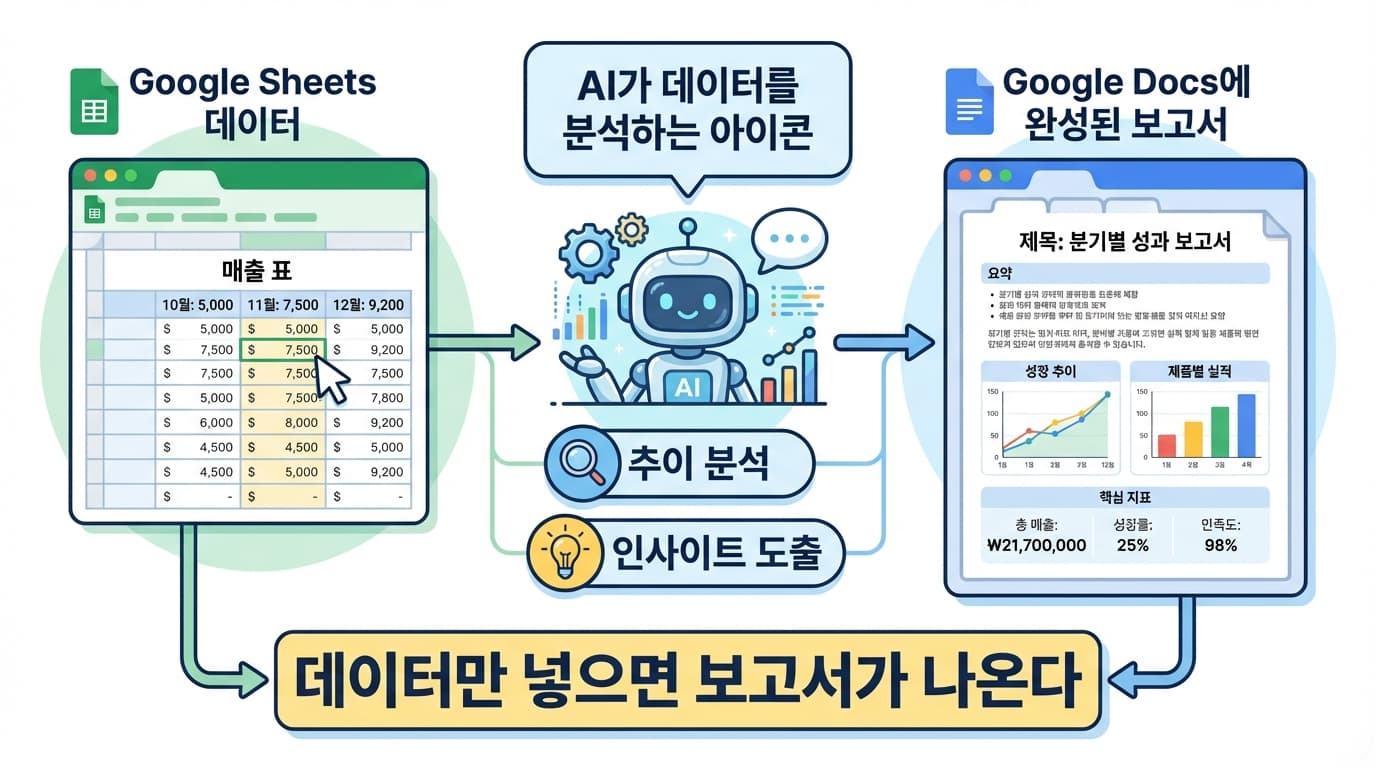
Automated Weekly Sales Report
Every Monday morning
  -> Read last week's sales data from Sheets
  -> AI analyzes (trends, anomalies, insights)
  -> Auto-generate report in Docs
  -> Share link in Slack channel
CSV Data Analysis
# Upload CSV to Sheets and analyze
google sheets import --file sales.csv --spreadsheet "Sales Analysis"
// Instruct AI to analyze
"Analyze the data in this spreadsheet and extract insights"
5. Summary
| Feature | Method | Result |
|---|---|---|
| Data reading | Google CLI + Sheets API | Spreadsheet to JSON |
| Data analysis | AI API | Trends, insights, forecasts |
| Report generation | AI + Docs API | Automated document creation |
| Result storage | Google CLI + Sheets API | Analysis results written to sheet |
Just put data in Sheets, and AI analyzes it and creates a report in Docs.