
- Authors
1. Let AI Handle Your Email
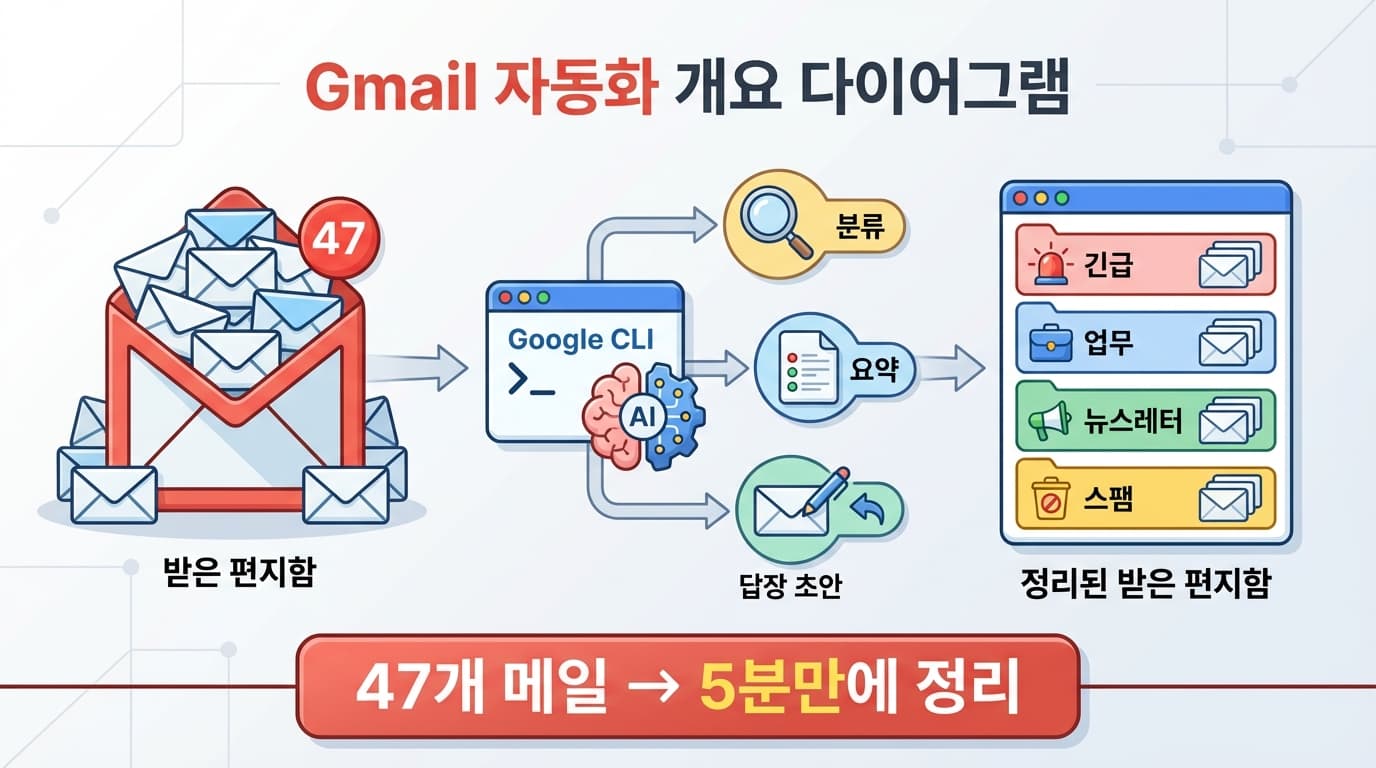
Every day, emails pile up in your inbox. Only a few are actually important, but sorting through them and drafting replies takes a lot of time. With Google CLI + AI, you can automate this process.
2. Introduction to Google CLI
Google recently released Google CLI, which lets you interact with Google services from the terminal.
# Install Google CLI
npm install -g @google/cli

# Authenticate
google auth login

# List Gmail messages
google gmail messages list --max-results 20

# Read a specific email
google gmail messages get MESSAGE_ID
3. Email Classification
3.1 Fetching Emails
import { google } from '@google/cli';

async function getRecentEmails(count = 20) {
  const messages = await google.gmail.messages.list({
    maxResults: count,
    q: 'is:unread',
  });

  const emails = [];
  for (const msg of messages) {
    const detail = await google.gmail.messages.get(msg.id);
    emails.push({
      id: msg.id,
      from: detail.from,
      subject: detail.subject,
      body: detail.body,
      date: detail.date,
    });
  }

  return emails;
}
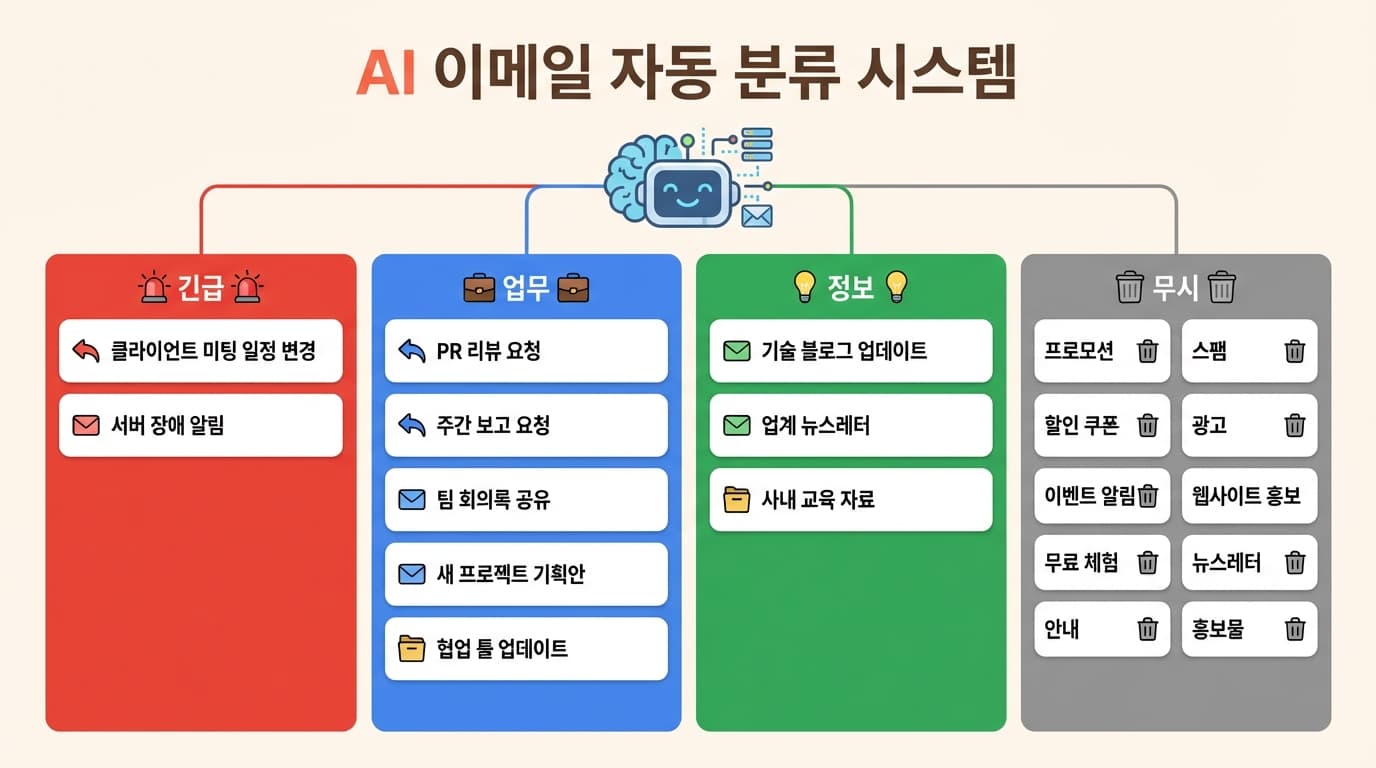
3.2 AI Classification
const prompt = `Please classify the following emails.

Categories:
- Urgent: Requires immediate reply
- Work: Work-related, handle today
- Info: Worth reading, informational
- Newsletter: Subscription newsletters
- Ignore: Spam/promotions

For each email:
1. Category
2. One-line summary
3. Recommended action (reply/read/archive/delete)

Email list:
${emails.map(e => `FROM: ${e.from}\nSUBJECT: ${e.subject}\nBODY: ${e.body.slice(0, 500)}`).join('\n---\n')}`;
4. Auto-Drafting Replies
Automatically generate reply drafts for urgent and work emails:
const replyPrompt = `Please draft a reply to the following email.

Rules:
- Professional but friendly tone
- Keep it concise, focus on the essentials
- Include specific action items
- Write in English

Original email:
FROM: ${email.from}
SUBJECT: ${email.subject}
BODY: ${email.body}`;

// Generate draft and save to Gmail
await google.gmail.drafts.create({
  to: email.from,
  subject: `Re: ${email.subject}`,
  body: generatedReply,
});
5. Automation Workflow
Every morning at 8 AM (cron)
  -> Fetch unread emails
  -> Classify with AI
  -> Generate reply drafts for urgent emails
  -> Summarize newsletters into one place
  -> Send results to Slack/Notion
6. Important Considerations
- Sensitive information -- Be careful with personal/confidential information when sending email content to AI
- Always review replies -- Never send AI drafts without reviewing them first
- Permission scope -- Only grant necessary permissions when authenticating with Google CLI
7. Summary
| Feature | Method | Result |
|---|---|---|
| Email retrieval | Google CLI | List of unread messages |
| Classification | AI API | Urgent/Work/Info/Ignore |
| Reply drafts | AI API | Review-ready drafts |
| Automation | cron | Daily automatic execution |
You can cut the 30 minutes spent sorting emails every morning down to 5 minutes.