
- Authors
1. You Can Turn AI Art into Real Merchandise
Creating images with AI is easy now. But what if you could turn those images into actual physical products?
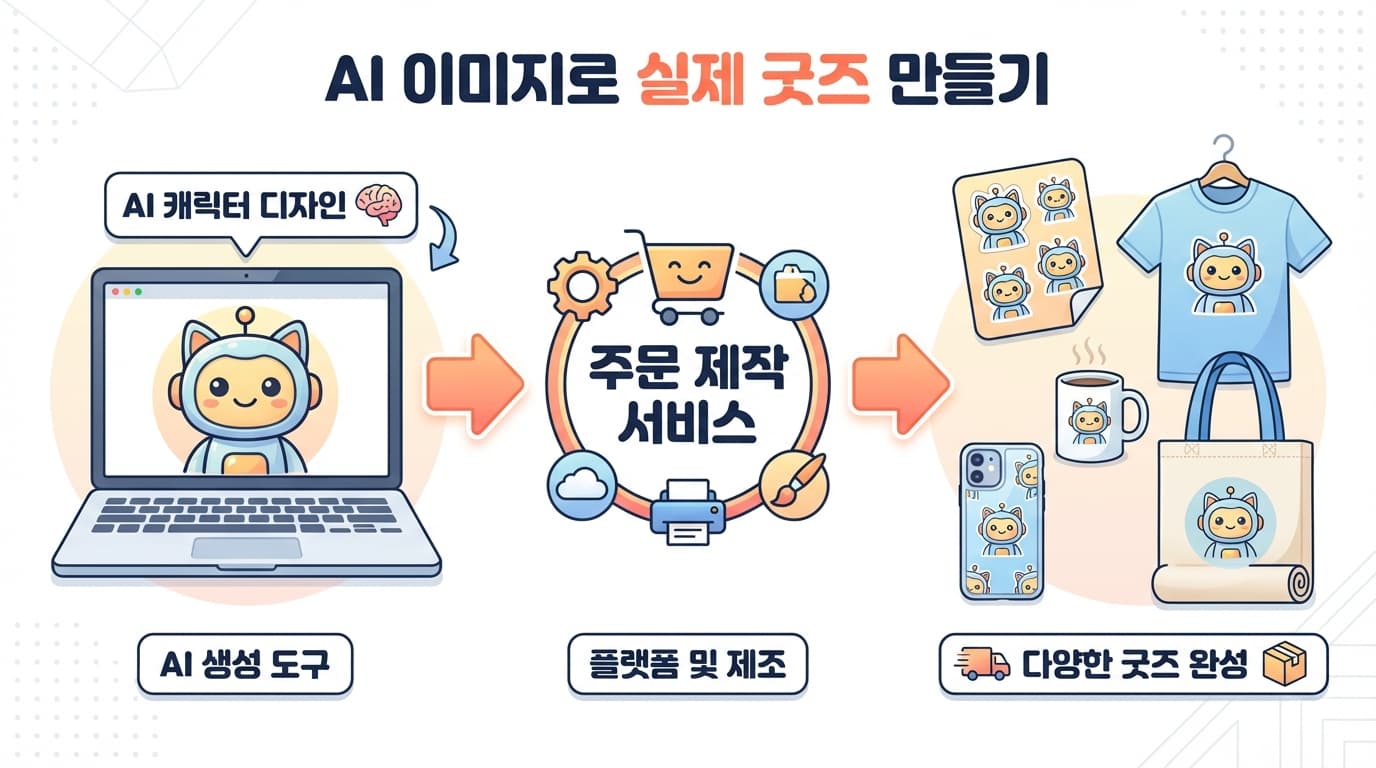
In this post, we share the process of creating images with AI and turning them into real merchandise like stickers, t-shirts, mugs, and phone cases.
2. Overall Workflow
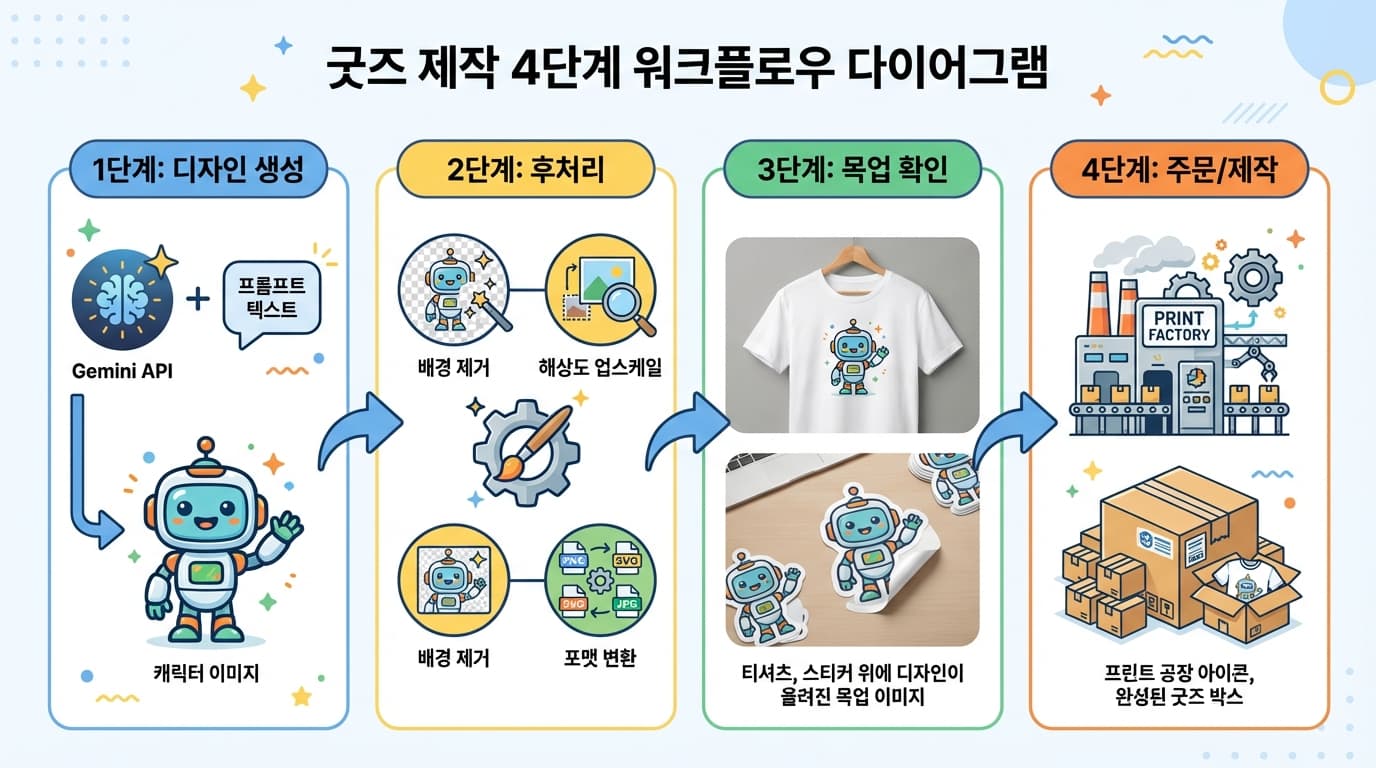
Step 1: Generate designs with AI (Gemini API)
Step 2: Post-processing (background removal, upscaling)
Step 3: Preview with mockups
Step 4: Upload to print-on-demand service
3. Step 1: Generating Merchandise-Ready Images
Images for merchandise are different from regular images. You need transparent backgrounds, high resolution, and simple, clean designs.
3.1 Sticker Prompts
Create a cute character sticker design.

CHARACTER: A happy yellow bird wearing a red scarf

STYLE:
- Chibi/kawaii style, rounded proportions
- Bold clean outlines (3-4px), no thin lines
- Flat colors with minimal gradients
- Simple, readable at small sizes
- Sticker-friendly: no complex background details

TECHNICAL:
- 1024x1024px PNG
- BACKGROUND: Pure white (#FFFFFF)
- Single character, centered
- No text, no watermarks
- Clean edges for die-cut sticker production
The key is bold outlines and simple colors. Stickers are printed small, so too much detail gets muddy.
3.2 T-Shirt Prompts
Create a t-shirt graphic design.

DESIGN: A retro-style illustration of a cat coding on a laptop
with text "SHIP IT" in bold letters below

STYLE:
- Bold graphic style, high contrast
- Limited color palette (3-4 colors max)
- Works on both light and dark backgrounds
- Screen-print friendly: no gradients, solid colors only
- Vintage/retro aesthetic

TECHNICAL:
- 2048x2048px PNG
- BACKGROUND: Transparent
- Design centered, with margin around edges
- Text must be crisp and readable
For t-shirts, limited colors and high contrast are important. The fewer colors you use, the better it works for screen printing.
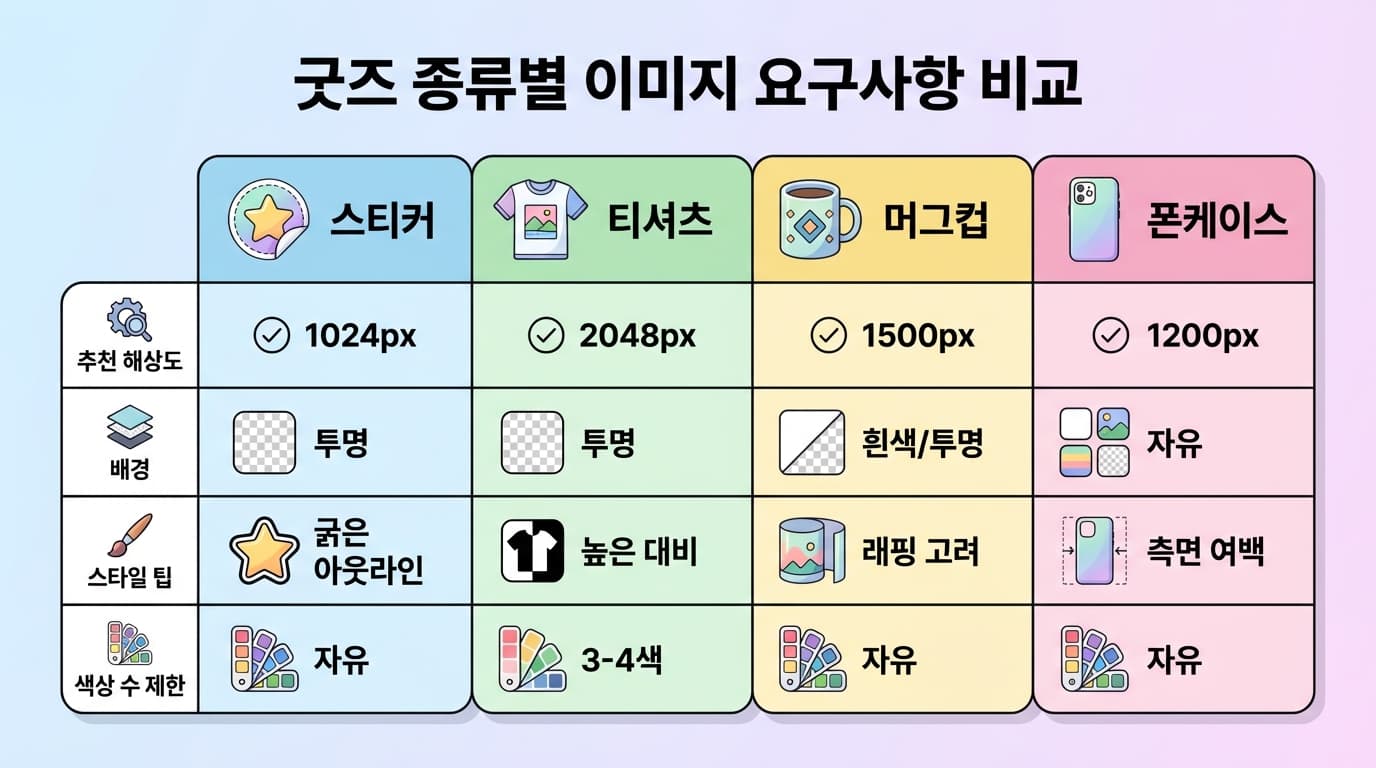
3.3 Key Requirements by Merchandise Type
4. Step 2: Post-Processing
Process the AI-generated images to make them suitable for merchandise production.
4.1 Background Removal
Transparent background PNGs are essential for merchandise production. You can handle this directly in Claude Code:
# Remove background with rembg
pip install rembg
rembg i input.png output.png
Alternatively, you can request a transparent background from the Gemini API from the start.
4.2 Resolution Upscaling
You need to upscale the 1024px AI-generated images for printing. At 300 DPI:
- Stickers (5cm): ~600px -- 1024px is sufficient
- T-shirts (30cm): ~3500px -- upscaling needed
- Posters (A3): ~5000px -- upscaling needed
# 4x upscale with Real-ESRGAN
pip install realesrgan
realesrgan-ncnn-vulkan -i input.png -o output.png -s 4
4.3 Format Conversion
Different print-on-demand services require different formats:
- Stickers: PNG (transparent background)
- T-shirts: PNG (transparent background) or AI/SVG
- Mugs: PNG or JPEG (with wrapping guide)
- Phone cases: PNG (fitted to manufacturer template)
5. Step 3: Print-on-Demand Services
Once your images are ready, upload them to a POD (Print-on-Demand) service. These services produce and ship items only when orders come in, so there is no inventory needed.
Major Services
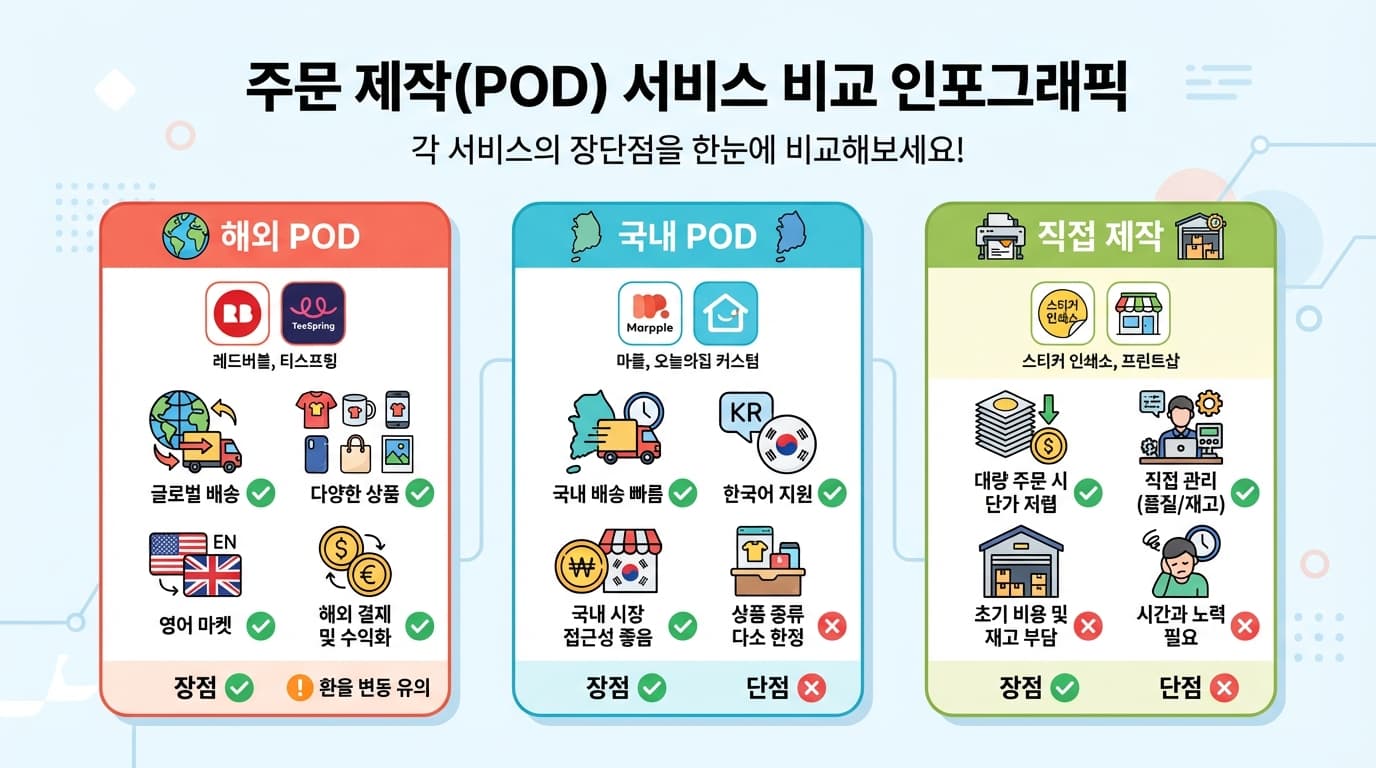
International: Redbubble, TeeSpring, Printful -- just upload your images and sell worldwide Korea-based: Marpple, Idus -- fast domestic shipping, Korean language support Self-production: Local print shops -- lower unit cost for bulk orders
Workflow Example: Making Stickers
1. Generate 10 character images with Gemini API
2. Remove backgrounds with rembg
3. Arrange into sticker sheet layout (A4 size)
4. Send to print shop -> done
6. Practical Tips
Merchandise Designs That Sell Well
- Simple characters -- Simple and cute designs work better as merchandise than complex ones
- Text combinations -- Fun phrases paired with characters are popular
- Series -- Creating various expressions/poses of the same character enables set sales
Things to Watch Out for with AI Merchandise
- Ensure sufficient resolution -- Print requires at least 300 DPI, which means images 3-4x larger than web use
- Color modes -- Screen (RGB) and print (CMYK) colors look different. Fluorescent/neon colors may not reproduce well in print
- Check copyrights -- Verify whether commercial use of AI-generated images is permitted under the API terms of service
7. Summary
| Step | Tool | Output |
|---|---|---|
| Design generation | Gemini API | Character/illustration PNG |
| Background removal | rembg | Transparent background PNG |
| Resolution upscaling | Real-ESRGAN | High-resolution PNG |
| Print-on-demand | POD service/print shop | Physical merchandise |
Create art with AI, post-process with code, and produce physical goods with POD services. You can start your own merchandise brand without any drawing skills.