
- Authors
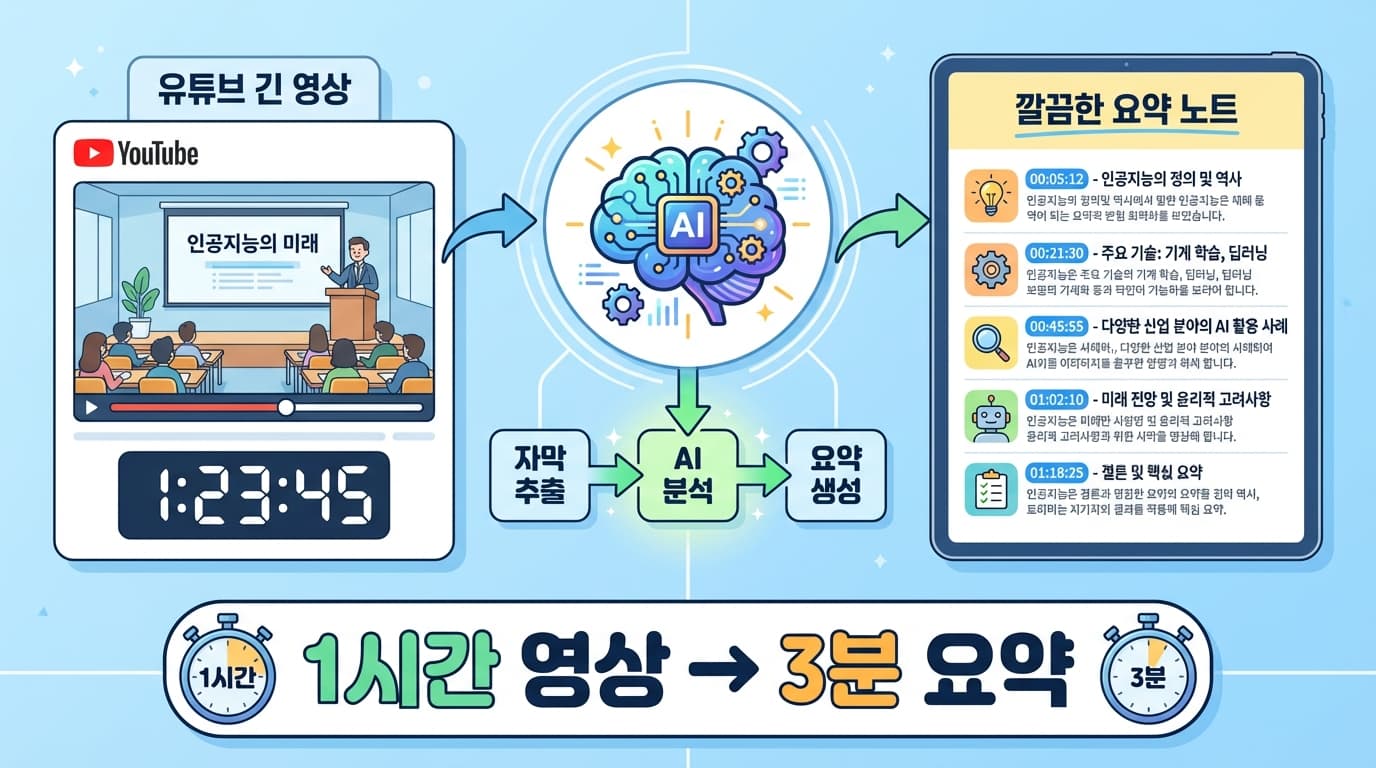
1. Digest a 1-Hour Video in 3 Minutes
YouTube is full of great lectures, interviews, and tech talks, but there is never enough time to watch them all. What if you had a tool that extracts just the key points from any URL?
2. How It Works
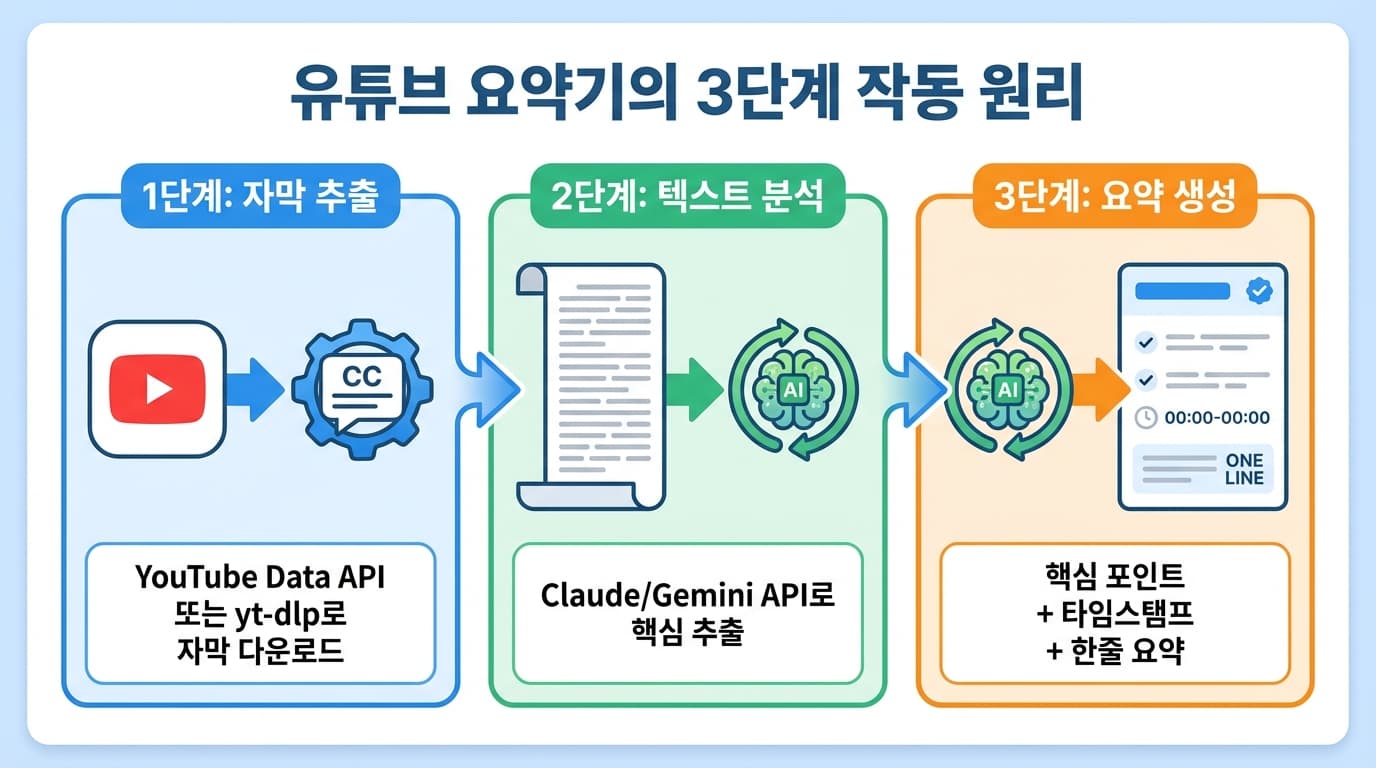
1. Extract subtitles — Pull the YouTube captions (CC) as text
2. AI analysis — Send the long subtitle text to AI for key point extraction
3. Generate summary — Output key points, timestamps, and a one-line summary
3. Step 1: Extracting Subtitles
Here is how to get subtitles from a YouTube video:
# Download subtitles with yt-dlp
pip install yt-dlp

# Extract including auto-generated subtitles
yt-dlp --write-auto-sub --sub-lang ko,en --skip-download \
  --sub-format vtt -o "subtitle" "https://youtube.com/watch?v=VIDEO_ID"
Or you can fetch them directly in Python:
from youtube_transcript_api import YouTubeTranscriptApi

transcript = YouTubeTranscriptApi.get_transcript("VIDEO_ID", languages=['ko', 'en'])
text = " ".join([t['text'] for t in transcript])
For videos without subtitles, you can convert speech to text using Whisper:
# Download audio then convert with Whisper
yt-dlp -x --audio-format mp3 "https://youtube.com/watch?v=VIDEO_ID"
whisper audio.mp3 --language ko --model medium
4. Step 2: AI Summarization
Send the extracted subtitles to AI for summarization:
const prompt = `The following is a transcript from a YouTube video. Please summarize the key content.

Summary format:
1. One-line summary (1 sentence)
2. Key points (5-7 bullet points)
3. Key timestamps (time markers for important sections)
4. Conclusion/core message

Transcript:
${transcriptText}`;
Handling Long Videos
Subtitles from a 1-hour video can be tens of thousands of characters. To handle AI context limits:
- Chunk splitting: Split into 10-minute segments, summarize each, then create an overall summary
- Long-context models: Claude (200K tokens) or Gemini (1M tokens) can process most videos in a single pass
5. Step 3: Output Format
Markdown Summary
# Video Summary: "React 19 New Features Overview"

## One-Line Summary
React 19 makes Server Components the default, adding the use() hook and Actions

## Key Points
- Server Components adopted as the default architecture
- use() hook enables direct use of promises and context
- Actions simplify form handling
- Automatic memoization (React Compiler)
- Document Metadata managed directly from components

## Timestamps
- 00:00 Intro
- 03:25 Server Components explained
- 15:40 use() hook demo
- 28:10 Actions and form handling
- 42:00 React Compiler
6. Using It in Claude Code
You can register it as an MCP server in Claude Code or run it as a simple script:
# Usage example
node summarize.js "https://youtube.com/watch?v=VIDEO_ID"

# Or directly in Claude Code
"Summarize this YouTube video: https://youtube.com/watch?v=..."
7. Summary
| Step | Tool | Role |
|---|---|---|
| Subtitle extraction | yt-dlp / youtube_transcript_api | Video to text |
| Speech conversion | Whisper (when no subtitles) | Audio to text |
| AI summarization | Claude / Gemini API | Text to summary |
| Output | Markdown | Structured summary document |
With just a URL, you can grasp the key points of a 1-hour video in 3 minutes. Among the flood of daily content, you can filter for only what is truly worth watching.