
- Authors

1. Why Do We Need Branches?
We have a shared repository
Your team has a shared repository. Whether it holds documents or code, multiple people need to edit it at the same time.
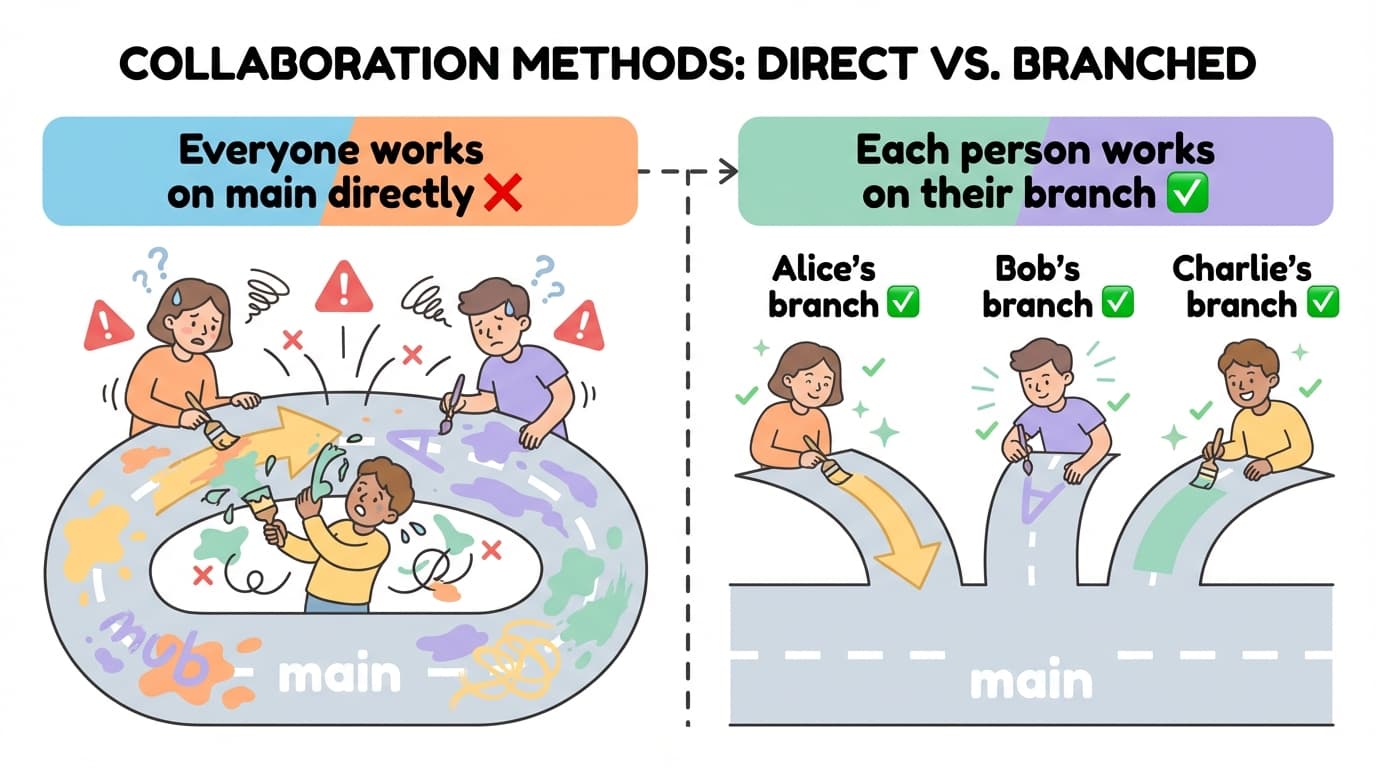
What happens if everyone works directly on the main branch?
- Your changes might overwrite someone else's work
- Mistakes go straight into the official version
That's why we create our own branch and work there.
Key Point
Don't touch main directly. Create your own branch and work there. Whatever you do on your branch has no effect on main.
2. My Branch = My World
Your own space, branched from main
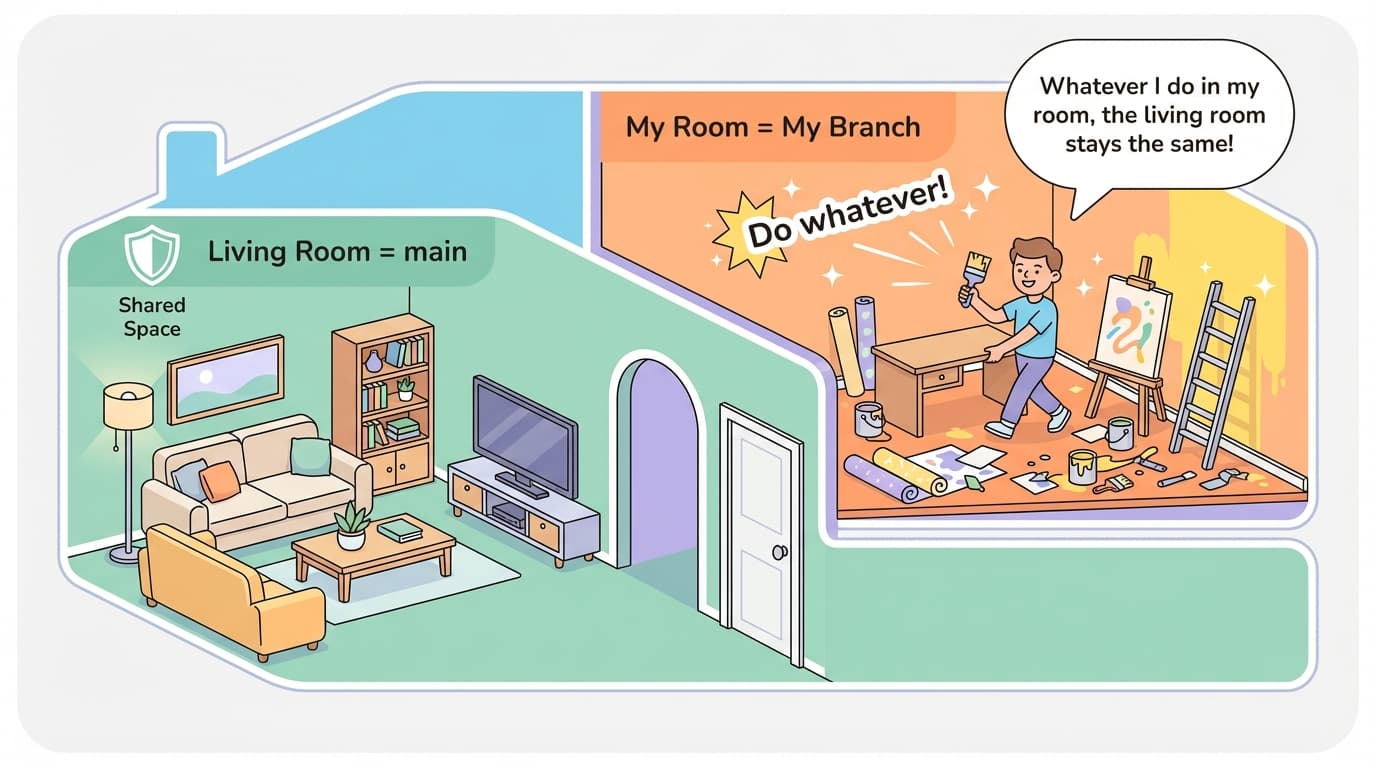
Creating a branch means making your own world from main's current state.
It starts as an exact copy of main at that moment. From there, you can modify anything you want. Main stays completely unaffected.
Think of it like your bedroom. The living room (main) is a shared space — you can't just rearrange it. But in your room (your branch), you can redecorate, rearrange, and tear things apart — nobody cares.
Key Point
Your branch is your own world. Whatever you do there, main stays safe.
3. Work Freely on My Branch
Edit, commit, push — repeat as many times as you want
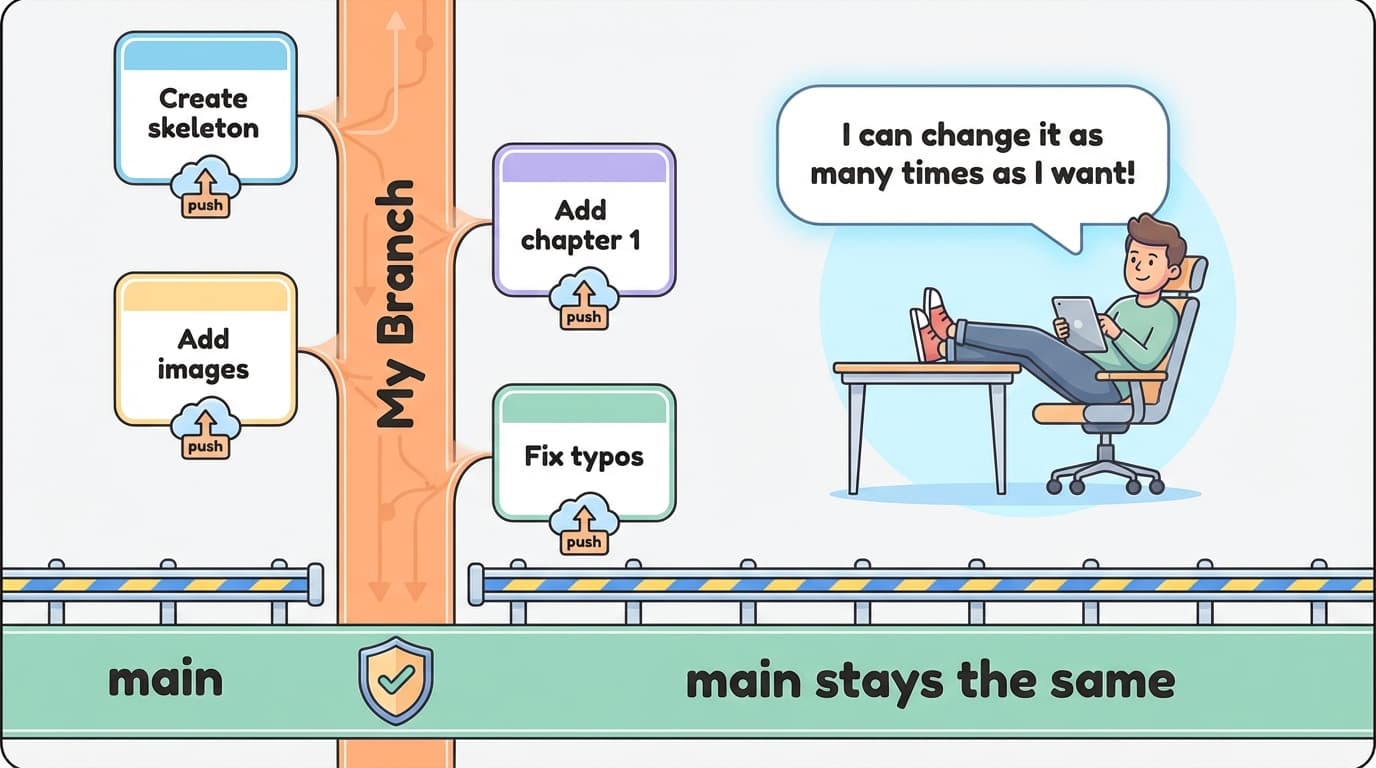
On your branch, just work without pressure. You can edit files, commit, and push as many times as you want.
You don't need to make everything perfect in one go. Keep pushing along the way.
Edit → Commit → Push
Edit → Commit → Push
Edit → Commit → Push
...repeat as many times as you want
For example, if you're writing a document:
- First push: "Just created the skeleton"
- Second push: "Added chapter 1 content"
- Third push: "Added images"
- Fourth push: "Fixed typos"
All of this happens only on your branch, so main is completely unaffected.
Key Point
On your branch, you can edit and push as many times as you want. Main is completely unaffected, so work without worry.
4. Bringing the Latest from Main into My World
While I'm working, main changes too
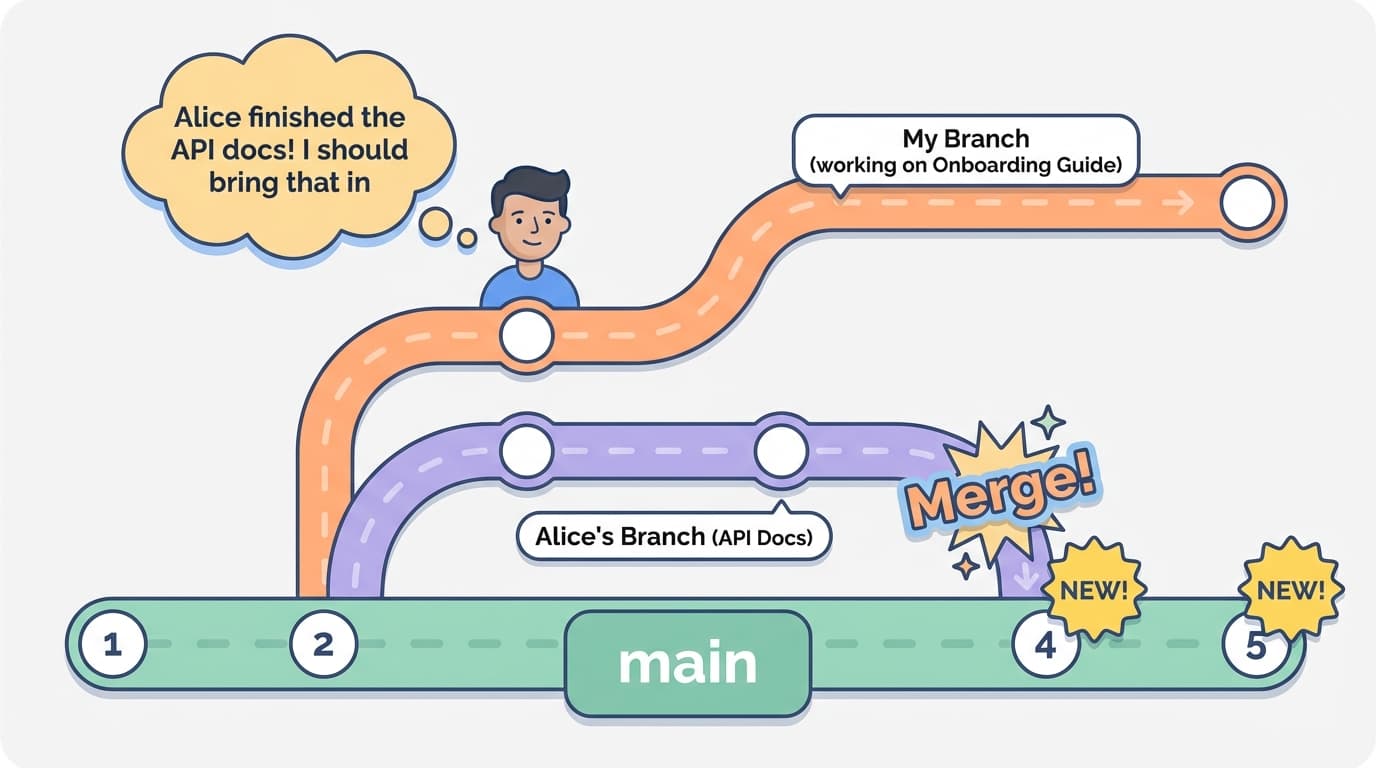
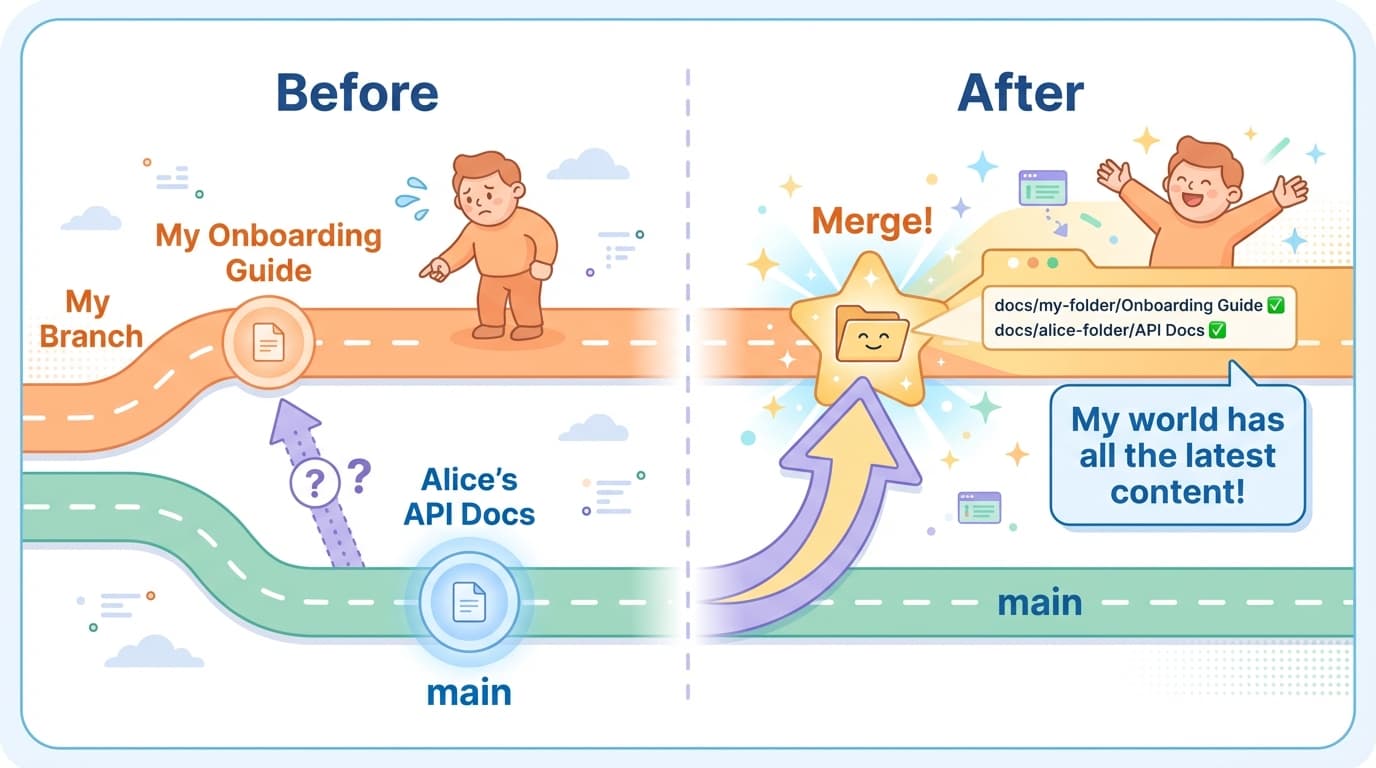
While you're working on your branch, other people finish their work and merge it into main.
For example:
- While I'm writing an "Onboarding Guide" in
docs/my-folder/ - Alice finished her "API Docs" in
docs/alice-folder/and merged it into main
At this point, main has Alice's latest docs, but my branch doesn't have them yet.
Just merge main into your branch
You can bring main's latest content into your branch by merging. This is called a Merge.
After merging, your work stays exactly as it is, and the other people's latest work also comes in. It's like two streams flowing into one river.
You can do this anytime, as many times as you want. Just merge whenever main gets updated.
Key Point
You can bring main's latest content into your branch by merging. After merging, your branch has all the latest content + your work together.
5. Working in Your Own Folder Means No Conflicts
Why do conflicts happen?
When merging, if two people edited the same part of the same file differently, Git asks "Which one should I use?" This is called a Conflict.
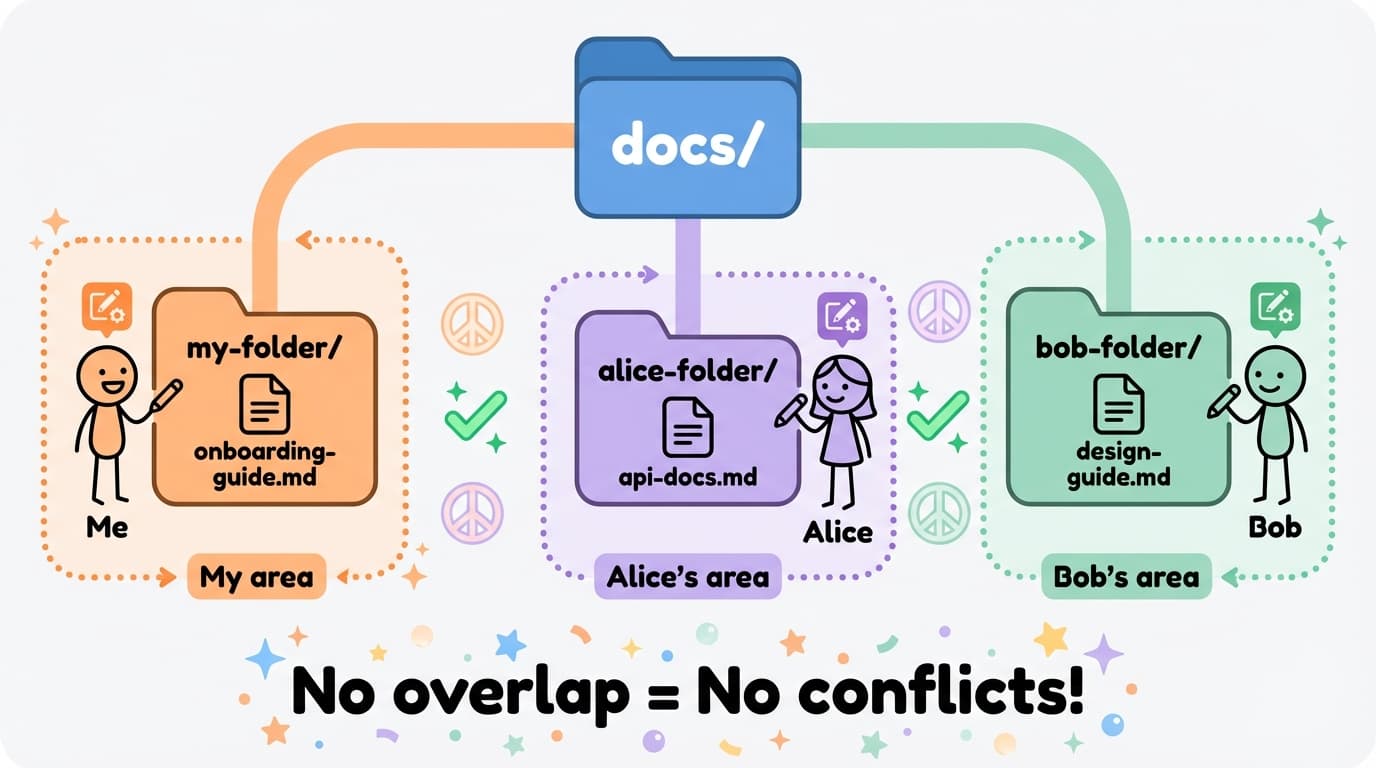
But conflicts only happen when the same file is touched by multiple people at the same time.
What if everyone works in their own folder?
If you work like this:
docs/
├── my-folder/        ← I work here
│   └── onboarding-guide.md
├── alice-folder/     ← Alice works here
│   └── api-docs.md
└── bob-folder/       ← Bob works here
    └── design-guide.md
Everyone works only inside their own folder, so there's no chance of touching the same file. Conflicts simply cannot happen.
What happens when you merge main into your branch in this case?
Everything comes together in my world
Since everyone worked in different folders, merging main into your branch works seamlessly — no problems at all.
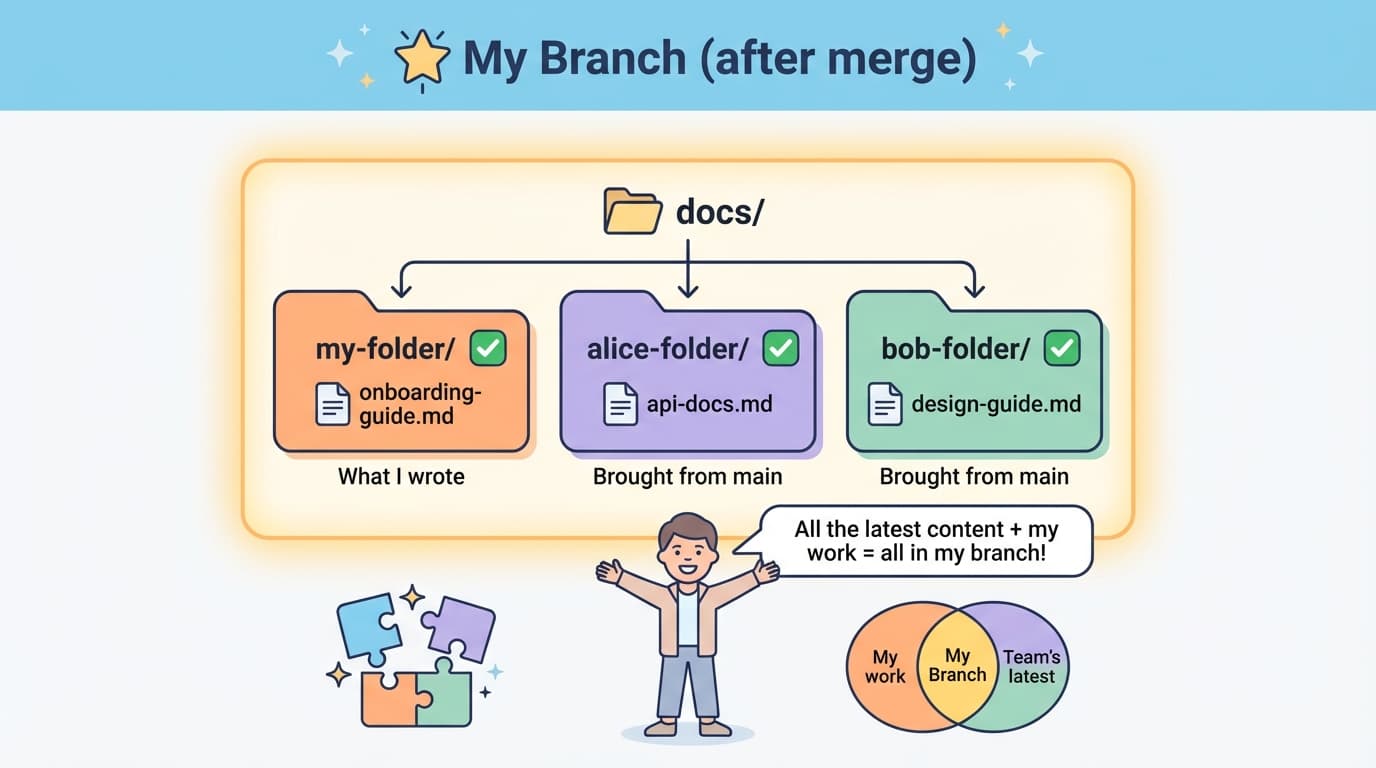
After merging, your branch looks like this:
docs/
├── my-folder/
│   └── onboarding-guide.md    ← What I wrote ✅
├── alice-folder/
│   └── api-docs.md             ← Brought from main ✅
└── bob-folder/
    └── design-guide.md         ← Brought from main ✅
Your work is there, and everyone else's latest work is there too. Everything lives together in your single branch.
This is the core of branches and merging. You can work freely in your own world while always having the team's latest content alongside your work.
Key Point
If everyone works in their own folder, files never overlap. No overlap means merging works seamlessly. Result: your world (branch) has all the latest content + your work together.
6. When You're Done
When you're done, create a Pull Request (PR) to ask for your work to be merged into main. Once a teammate reviews and approves it, your work becomes part of main.
After your PR is merged, other people can get your work too. When they merge main into their branches, your documents appear in their branches as well.
This is how everyone's work gets shared through main.